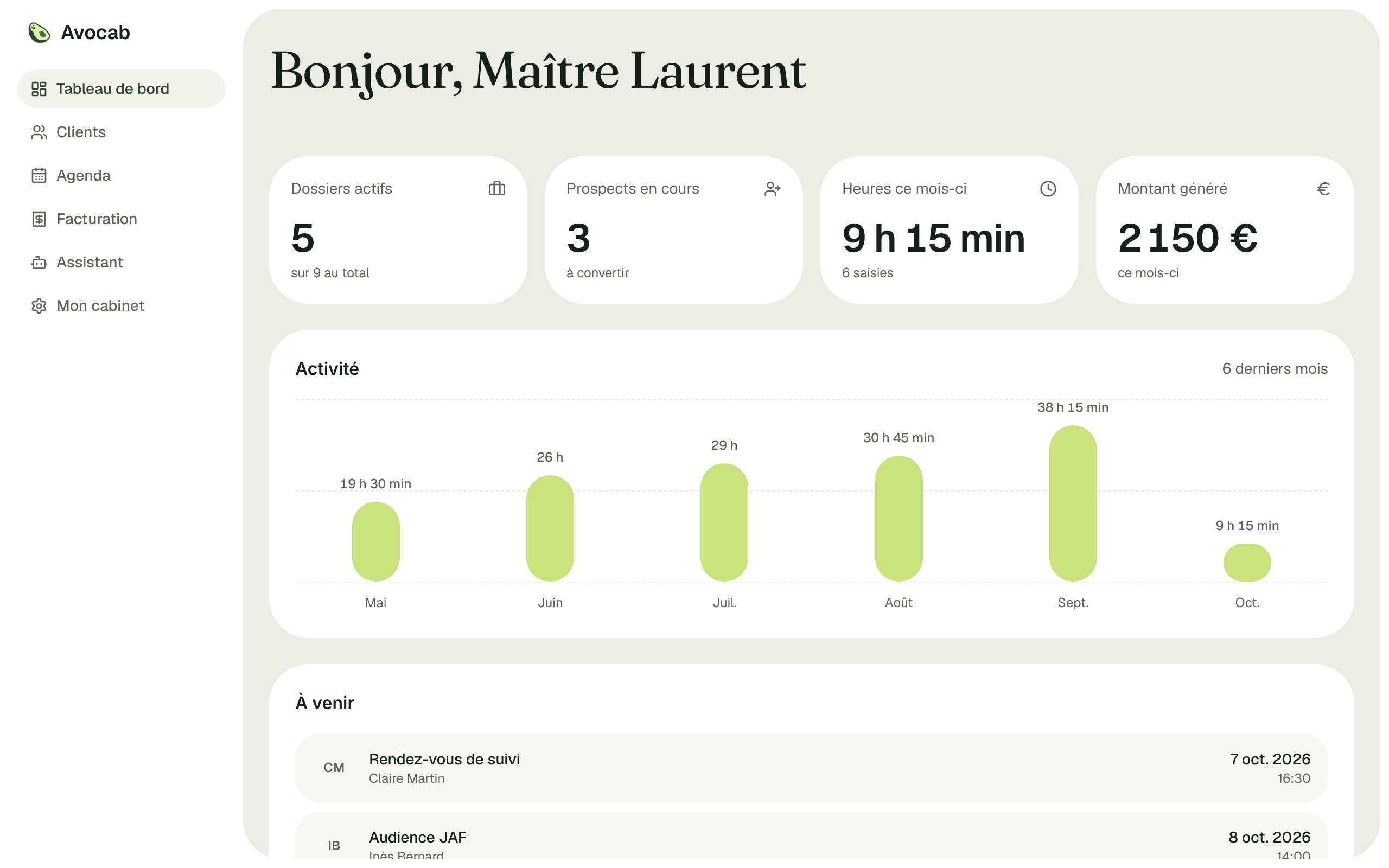
Designing a management tool for a law firm.
While supporting my partner as she runs her own law firm, I am designing Avocab, a management tool built around her actual needs. The approach is fully custom, with a strong focus on automating tasks through an AI agent.
The project is currently in development.
I am the solo designer on the project, from framing to interface design. I build the application myself with Claude Code.
- Team size: 1 Product Designer, with Claude Code for development
- Users: 1 expert user, a solo lawyer
- Status: in development
Tools that don't fit a solo practice
The legal management software available on the market is not suited to small firms, and even less to a lawyer practising alone.
→ My approach: design an AI-centred tool that gives a 360° view of the lawyer's activity.
Having direct access to an expert user, I rely on her knowledge and needs to shape a tool that truly fits her practice. The project is also a way for me to grow in AI-assisted design and in integrating external services:
- Claude API
- AI agent design
- Google APIs
- Electronic invoicing
Where the most time is saved
Lawyers constantly send the same documents: petitions, lists of exhibits, sworn statements, fee agreements. Each one follows a template, and today they lose time filling them in by hand, copying the same client and case details over and over.
→ Avocab generates these documents from its templates, filled with the data already in the case.
Assignation en divorce
Divorce · Tribunal judiciaire de Lyon
Requête en divorce
À Madame, Monsieur le Juge aux affaires familiales du Tribunal judiciaire de [Tribunal].
Pour : [Civilité] [Prénom] [Nom], née le [Naissance], demeurant [Adresse].
Ayant pour avocat [Avocat], avocat au barreau de [Barreau].
Contre : [Partie adverse], époux de la requérante, mariage célébré le [Date du mariage].
Illustrative demo: pick a template and generate it from a fictional case. The feature is being built in Avocab.
Try Avocab with a fictional firm
Every client, case and invoice in this demo is fictional.
Key screens
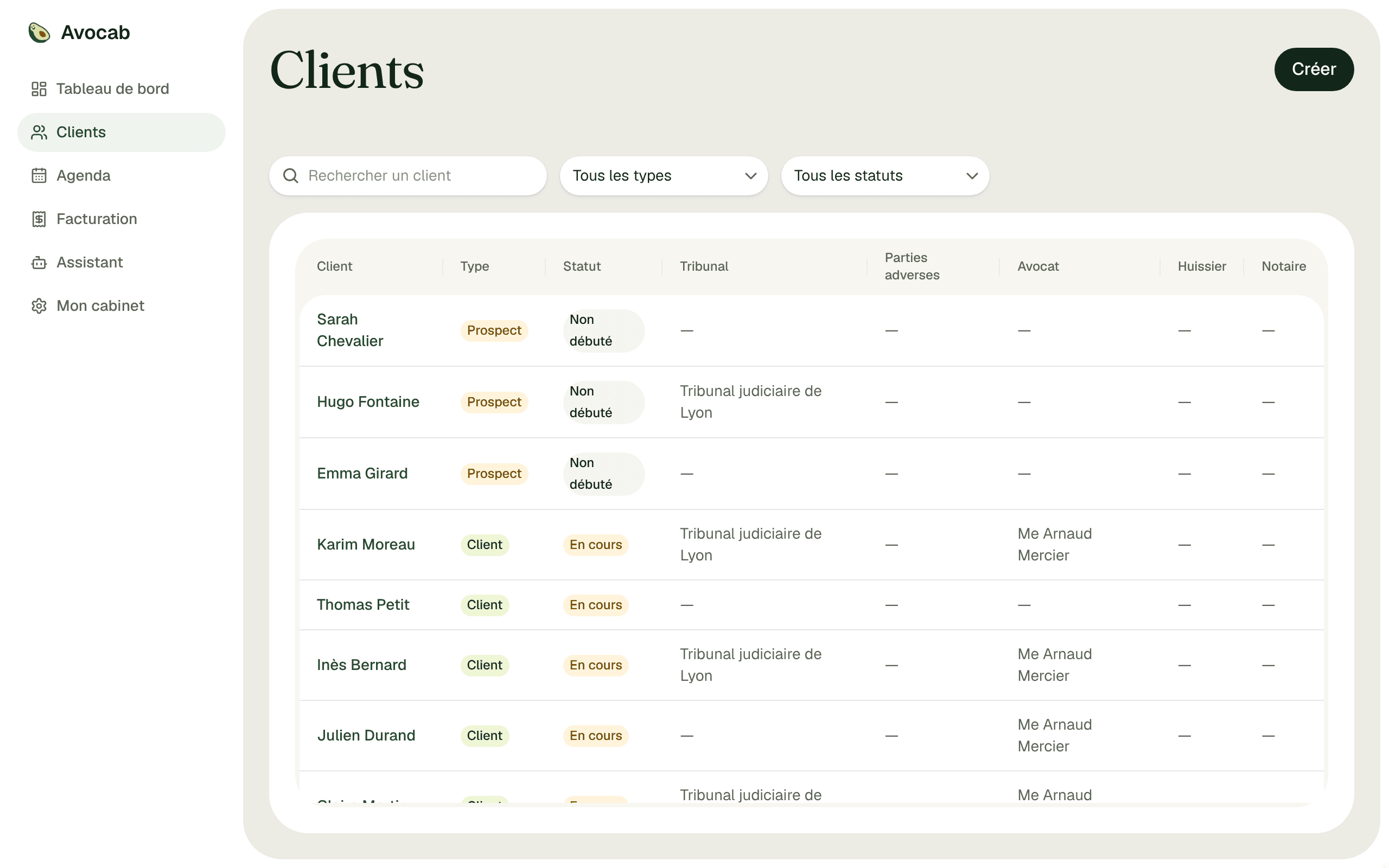
Clients and cases at a glance
Built-in time tracking
Importing documents, organising them and generating the list of exhibits
From tracked time to invoice
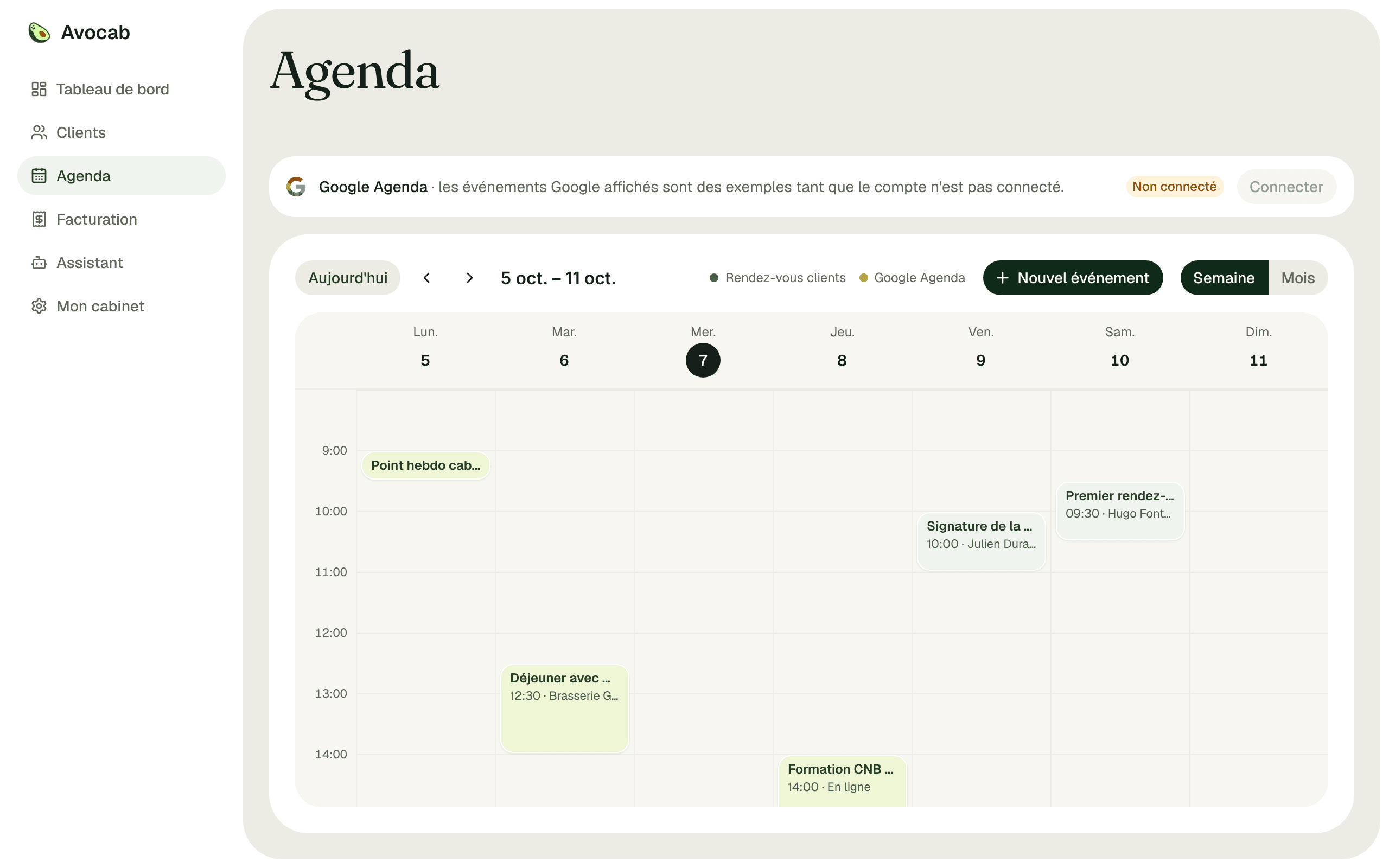
Agenda, synced with Google Calendar
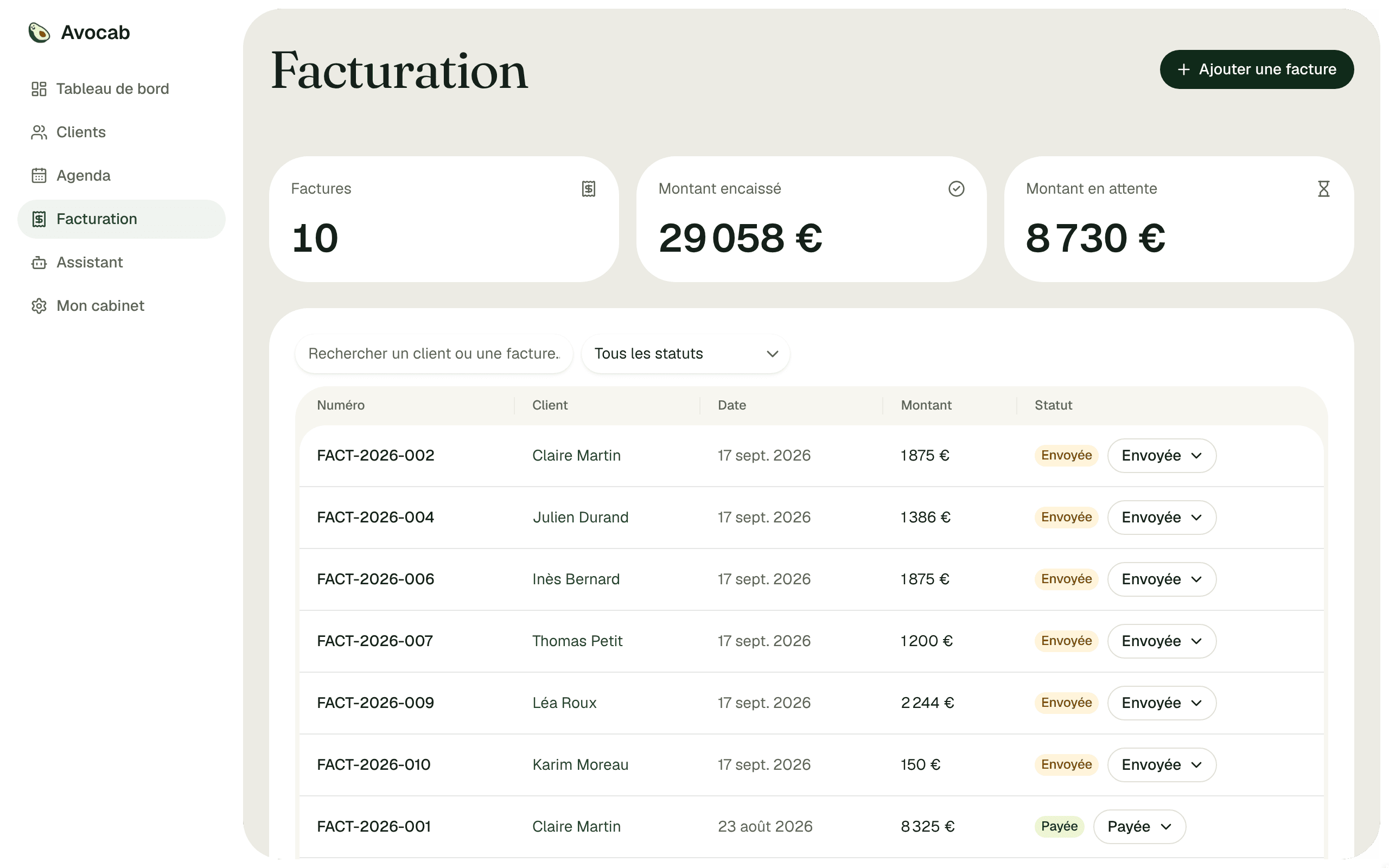
Invoicing overview
The AI assistant, working on the firm's data